
%20(Website)-1.png?width=958&height=325&name=LAMBDA%20LEARNING%20LOGO%201(%20px)%20(Website)-1.png)
Video Resources
Learning insights from Lambda Learning
Watch Ilana Binenbaum, Director of Customer & Partner Relations, share practical insights on LMS strategy, compliance training, and how leading organizations are scaling their learning programs.

Browse the full video library
Learn how to create guided, step-by-step documentation activities for project work, personal learning plans, reflective journals, goal setting, and self-assessments. In this tutorial, you’ll discover how to build a Documentation Tool wizard, understand each page type, guide learners through structured workflows, and avoid common Moodle pitfalls, including exporting learner work, the difference between Submit and Create Document, and the tool’s single-session limitation. Perfect for educators and instructional designers looking to create more meaningful, learner-centered activities in Moodle.
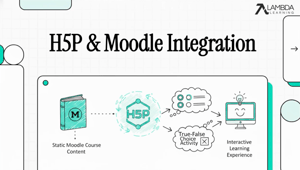
Should you use H5P or Moodle Quiz for Multiple Choice and True/False questions? In this tutorial, you’ll learn when to use each tool, how H5P supports active learning with immediate feedback, and how to embed interactive knowledge checks directly into your Moodle courses. We’ll also walk through creating H5P Multiple Choice and True/False activities and share best practices for designing engaging learning experiences.
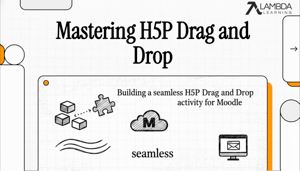
Ready to turn your static course images into hands-on learning challenges? H5P Drag and Drop is the ultimate tool for moving beyond multiple-choice questions, but it has a few hidden "traps" that can frustrate even the best instructional designers. In this 2-minute explainer, we decode the logic, the scoring, and the pro design tricks you need to build seamless interactions in Moodle.
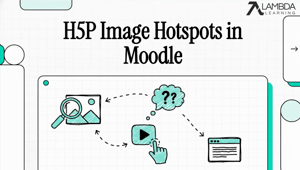
Turn static images into interactive learning experiences with H5P Image Hotspots in Moodle 4.5. In this video, you’ll learn how to add clickable hotspots to any image—allowing learners to explore content through text, images, and video directly within your course. We walk through the full setup process, share practical tips, and cover common use cases to help you get started quickly. Whether you’re enhancing diagrams, maps, or visual content, this is a simple way to boost engagement and make your courses more interactive.
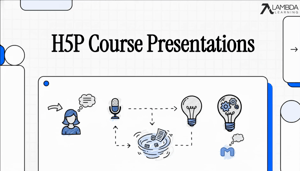
Transform your presentations from passive to interactive using H5P in Moodle. Learn how to build Course Presentations, add interactive elements, and reuse your existing content to improve learner engagement.
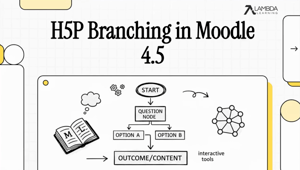
Learn how to create interactive branching scenarios in Moodle using H5P. In this tutorial, we demonstrate how instructors can transform traditional lessons into decision-based learning experiences where learners choose their path and see the consequences of their actions. H5P Branching Scenarios allow you to move beyond passive “click-next” content and build activities that encourage critical thinking, problem solving, and engagement directly inside Moodle.
Stop passive viewing and start active learning. In this quick tutorial, learn how to use H5P Interactive Video to transform standard video content into a "lean-in" experience
This video explains the key features across versions 4.5, 5.0, and 5.1, focusing on: • Student Experience: The Enhanced Activities Overview and Course Subsections. • Teacher Tools: The redesigned Activity Chooser and Assignment Workflow improvements. • Admin Capabilities: The new Report Builder and SMS Notification Framework. • AI Integration: The Core AI subsystem, including text/image generation and the new "Explain and Summarize" tools.