
%20(Website)-1.png?width=958&height=325&name=LAMBDA%20LEARNING%20LOGO%201(%20px)%20(Website)-1.png)

Moodle Training Courses: Maximize Your Teaching Skills
Maximize Learning with Moodle Training Courses
Have you ever stared at a desk buried under printed assignments and a flooded inbox, wondering, "how do I use Moodle as a teacher to stop this chaos?" That scattered approach drains your energy. A Learning Management System (LMS) serves as your digital home base, replacing frantic messages with one perfectly organized virtual classroom.
According to recent educator surveys, centralizing student resources into a single hub saves up to five hours of administrative work weekly. Quality moodle training helps you master the platform's three core pillars: content delivery, student interaction, and assessment. Applying basic learning management system administration best practices smoothly transitions you from a frustrated file-sharer into a confident course-builder.
The 'Edit Mode' Secret: Unlocking Your Power to Build Courses
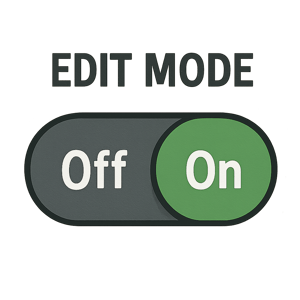
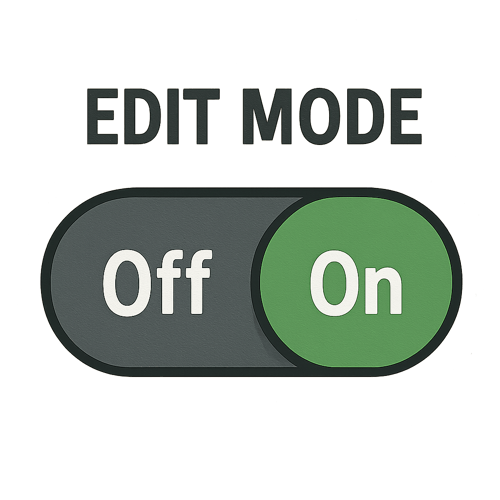
Looking at a blank page feels like standing in an empty classroom. To begin arranging the furniture and learning how to create courses in moodle, locate the "Edit Mode" toggle in the top right corner. Flipping this switch unlocks your workspace, making "Blocks"—small side-panel tools like calendars—customizable.
Once activated, uploading takes under 10 seconds. You can drag and drop a syllabus PDF directly onto the screen. Verify your workspace is ready with this checklist:
- The toggle switch displays as "On."
- Pencil icons appear next to text.
- "Add an activity" buttons become visible.
Before leaving, check your work using "Student View" located under your profile picture. This hides builder menus, preventing layout errors and serving as a reliable moodle dashboard customization guide for learners.
From Files to Activities: How to Create Courses That Engage Students
Uploading a syllabus is a great start, but effective instructional design for digital classrooms requires a healthy mix of passive consumption and active participation. To keep things organized, Moodle divides your course content into two clear categories:
- Resources (Reading): Static items like PDFs, web links, or text pages that students simply view.
- Activities (Doing): Interactive elements like quizzes or assignments where students submit work and engage directly.
To spark real interaction, try adding a Forum activity so learners can discuss topics and learn from peers—a highly effective strategy in most moodle training courses. Eventually, you might also encounter the term SCORM. Think of SCORM compliance in online learning as a universal digital format; it simply ensures that interactive, animated lessons built in outside software will play perfectly inside your Moodle course without technical hiccups.
Blending these static files with dynamic tools transforms a quiet webpage into a thriving digital classroom.
Moodle vs Canvas LMS Features: Choosing the Open Source Advantage
When evaluating moodle vs canvas lms features, the main difference is ownership. Canvas is proprietary software, operating like a rented apartment where you cannot move walls. Moodle is open source, meaning its underlying blueprint is free. If you wonder what are the benefits of open source lms, the answer is budget control and flexibility. Schools avoid huge licensing fees and use custom plugins to adapt the platform, bypassing rigid closed systems.
This freedom requires deciding where your digital house will live. Open-source software means you must secure server space, known as hosting. Using the best moodle hosting providers for schools ensures your platform stays online without requiring an IT degree. Once your custom classroom is securely hosted, you can easily shift focus to time-saving tools like automated grading.
Eliminating 'Where is My Grade?' Inquiries with Automated Grading
Manually scoring tests while students anxiously wait for their results consumes hours of valuable teaching time. By setting up automated grading in moodle, you can reduce manual grading time by 60% for objective assessments. The platform does the heavy lifting for you, turning tedious paper stacks into an instant, self-grading experience.
Building a quiz that grades itself requires just a few simple adjustments. Follow these 4 essential settings for a foolproof automated quiz:
- Question Bank: Store your questions first.
- Answer Keys: Mark the correct choice.
- Feedback Loops: Add a brief note explaining the correct answer.
- Review Options: Let students see their scores immediately.
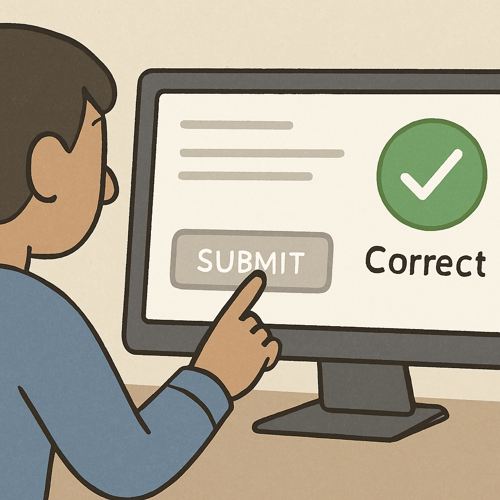
When results flow into your Grader Report—your digital gradebook—you eliminate confusion. Proper moodle training encourages customizing this view to show only what students need to see, following learning management system administration best practices.
Leveling Up: Using Moodle Gamification Plugins to Boost Participation
Keeping students motivated online can feel difficult, but game-like elements change the dynamic entirely. Gamification—using digital rewards to show progress—transforms standard activities into an interactive journey. By utilizing moodle gamification plugins for engagement, you can boost course completion rates by 25% using simple reward mechanics. Think of "plugins" as mini-programs or extra tools you seamlessly snap into your digital workspace.
To start rewarding learners without slowing down your classroom (an important part of optimizing moodle site performance), try these top 3 gamification plugins for beginners:
- Completion Progress Bar: Install this visual checklist to help students stay on track.
- Digital Badges: Design custom icons that reward specific learning milestones.
- Level Up!: Grant experience points for everyday participation.
Mobile Learning and Troubleshooting: Ensuring Access Anytime, Anywhere
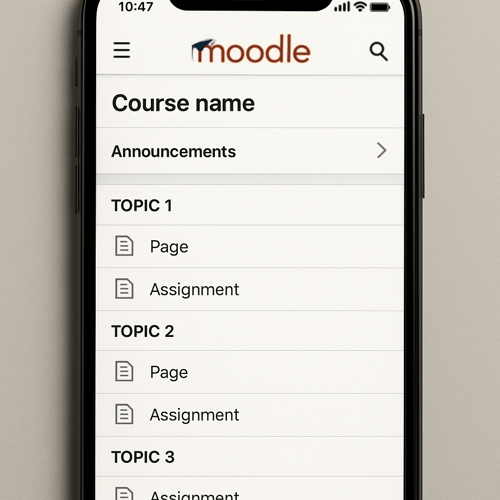
Because students use phones daily, mastering mobile learning with moodle app is essential. Ensure materials look perfect on small screens by converting heavy PDFs into auto-resizing text pages. Additionally, troubleshooting moodle login issues shouldn't derail motivation. You can quickly solve 90% of access complaints with a simple checklist: ask students to verify the web address, fix typos, and clear their browser cache.
Reliable access also requires strong infrastructure. Think of your course like a highway; if everyone logs in for an exam simultaneously, a weak server causes a massive traffic jam. High-performance hosting prevents these crashes by optimizing moodle site performance.
Your 3-Step Roadmap to Moodle Educator Certification and Mastery
You have transformed from a guest in your digital classroom to a confident course builder. With your materials organized, you are ready for professional validation. Here is a 30-day action plan for Moodle proficiency:
- Days 1-10: Complete foundational moodle training courses.
- Days 11-20: Review moodle educator certification requirements (passing six pedagogy-focused modules).
- Days 21-30: Map your lessons to these standards.
Commit to one small weekly victory to maintain momentum. Each feature you master guarantees student clarity and prevents late-night confusion. Your digital platform now does the heavy lifting, perfectly complementing your real-world teaching expertise.